

If your MSP is missing SLAs, staying vague on security, or making you feel like a ticket number, the real risk is not switching. The real risk is waiting until the next outage, audit, or incident forces your hand. Use this checklist to make a calm, controlled transition with minimal downtime.
Not sure if it’s time to switch?
If you see two or more red flags below in a typical month, start an MSP market scan now. If you see one high-severity red flag (security negligence, withheld admin access, repeated outages), move straight to the transition checklist.
If you want a clean next step: compare your current state to an MSP Corp onboarding plan and scope.

A fast self-check before you read all 12 red flags
If you only have 60 seconds, answer these honestly. If you answer “no” to any two, you are already paying for risk.
Your MSP is doing well if you can say “yes” to these
- Visibility: I can see what is being done each month, why it matters, and what it improved.
- Control: We own our admin accounts, documentation, and licenses. No gatekeeping.
- Security: Security baselines are defined, tracked, and tested with us (not just “installed”).
- Consistency: SLAs are met and escalations are predictable.
- Strategy: We have a roadmap tied to business outcomes, not just tickets.
- Offboarding: The contract includes a clear exit plan and handover support.
Why switching MSPs is a security decision, not just an IT decision
Modern environments are a web of vendors, platforms, and managed services. When any part of that supply chain is weak, the impact rolls downhill to you. CISA explicitly includes managed services in the ICT supply chain risk picture, which is why MSP performance and transparency directly affect your risk posture. CISA ICT supply chain risk management guidance
NIST has pushed this even further with Cybersecurity Framework 2.0 supply chain guidance and incident response updates that emphasize coordination with relevant suppliers and third parties. If your MSP cannot show how they collaborate with you during incident planning, response, and recovery, that is not a partnership. It is an unmanaged dependency. NIST SP 1305 (CSF 2.0 C-SCRM Quick-Start) and NIST SP 800-61 Rev. 3 (Incident Response)
The 12 red flags: quick scan
Each red flag below includes: what it looks like, why it matters, what to ask, and what to do next. Start with the ones that match your day-to-day reality.
What to expect from a “good” MSP before you switch
It is easier to evaluate your current provider when you know what “good” looks like. At a minimum, you should see measurable service commitments (SLAs), clear reporting, and documented accountability. In IT service management, SLAs are typically tied to response and resolution metrics plus availability expectations. SLA concepts and best practices
Minimum baseline you should be able to request in writing
- Ownership: your admin accounts, tenant access, documentation, and licenses.
- Service levels: response and resolution targets by priority, plus escalation rules.
- Security cadence: baselines + monitoring + testing + continuous improvement (not “install and forget”).
- Reporting: monthly service summary, risks, recommendations, and what changed.
- Exit support: defined handover steps, timelines, and deliverables.

The 12 red flags (with what to ask and what to do next)
Recurring outages and “band-aid fixes”
If the same systems keep failing, you are not getting service, you are getting repeated incident cleanups. A healthy MSP reduces repeat incidents with root cause work, lifecycle planning, and change control.
- Same VPN drops, printer chaos, Wi-Fi issues, Teams calling problems.
- Frequent “restarts” instead of lasting fixes.
- Outages explained as “just one of those things.”
- Downtime cost compounds quietly.
- Workarounds become normal, security erodes.
- You lose trust in IT, and adoption stalls.
- “Show me your last 90 days of problem management and root cause reports.”
- “Which recurring issues will be eliminated next month, and how?”
- “What is your change and patch policy for this environment?”
Missed SLAs and unpredictable escalations
One late response is annoying. A pattern of missed targets is a delivery issue. Your MSP should be able to show SLA performance and escalation mechanics in plain English.
- Critical tickets sit in “triage” for hours.
- No on-call clarity, no clear priority definitions.
- Different answers from different technicians.
- Incidents expand in blast radius with time.
- Leadership loses confidence in IT posture.
- Business operations become “fragile.”
- “What are your response and resolution targets by priority?”
- “How does escalation work after 30, 60, 120 minutes?”
- “Show last month’s SLA report and what you changed because of it.”
You cannot tell what value you are getting each month
If reporting is a ticket list or a vague summary, you are missing the story: risks reduced, controls improved, systems stabilized, users enabled. Good reporting is decision support.
- No monthly service review, or it is rushed and reactive.
- Security is discussed as products, not posture.
- No clear backlog of “next best actions.”
- Risk drifts upward with time.
- Budget becomes unpredictable.
- You cannot defend IT spend to leadership.
- “Show the last three monthly review decks or summaries.”
- “What risks are trending up, and what are we doing about them?”
- “Which controls improved month over month?”
Security is framed as “we installed tools”
Tools are not outcomes. What matters is coverage, configuration, monitoring, response, and continuous improvement. If you cannot see baselines, testing, and measurable change, you are paying for security theatre.
Cloud incident response is a shared-responsibility reality, and your MSP should be able to explain who does what during notification, triage, evidence collection, investigation, and recovery. Microsoft incident response guidance for cloud environments

- No security baseline document.
- No phishing simulations or MFA rollout plan.
- No incident tabletop exercises or tests.
- Misconfigurations become incidents.
- Response is slow without roles and playbooks.
- Audits become expensive and stressful.
- “Show our current security baseline and the last change log.”
- “What tests did you run in the last 90 days?”
- “Who calls who in the first 15 minutes of an incident?”
Admin access is withheld or “managed” in a way that blocks your control
Your organization should always own its tenant, admin accounts, passwords, and domain registrar access. If you have to “ask permission” to see your own configuration, offboarding will be painful.
- Passwords live in the MSP’s vault only.
- Licensing is opaque or bundled without clarity.
- Documentation is treated as proprietary.
- You cannot audit your own risk.
- Transitions take longer and cost more.
- Incidents are harder to contain without access.
- “Provide an admin access inventory and credential handover plan.”
- “Which accounts are break-glass accounts and who controls them?”
- “Where is the current network and tenant documentation stored?”
Surprise fees, unclear scope, or “everything is extra”
Pricing does not need to be cheap. It needs to be predictable and aligned to outcomes. A common switch trigger is the moment invoices rise while service quality stays flat.
- Projects billed without clear approval gates.
- Nickel-and-diming for basic admin work.
- Bundles with unclear license ownership.
- Budget planning becomes impossible.
- Teams delay needed improvements.
- Trust erodes fast.
- “What is included vs excluded, in one page?”
- “What requires a statement of work, and when?”
- “Do we own the licenses and can we take them with us?”
Documentation is missing, outdated, or not shareable
Documentation is not “nice to have.” It is operational continuity. When documentation is weak, transitions slow down and incident response becomes guesswork.
- No current asset inventory.
- No network diagram or cloud architecture map.
- No vendor list, renewal calendar, or escalation contacts.
- Onboarding a new provider becomes costly.
- Recovery is slower after incidents.
- Audits become high-effort firefighting.
- “Provide the documentation set and last update dates.”
- “Where is it stored, and who has access?”
- “What is the update cadence?”
High churn, inconsistent technicians, and constant re-explaining
Switching MSPs is often triggered by exhaustion. If every ticket restarts context, you are paying for repetition. A mature MSP reduces friction with stable account ownership, runbooks, and a clear escalation tree.
- Different techs suggest conflicting fixes.
- Tickets bounce between teams.
- No single “owner” for your environment.
- MTTR increases (time to resolution).
- Risk rises from inconsistent changes.
- Users lose trust in IT processes.
- “Who is accountable for outcomes, not just tickets?”
- “What is your internal documentation and handoff process?”
- “How do you prevent repeat issues when staffing changes?”
Shadow IT and employee workarounds are becoming normal
When IT becomes slow or unpredictable, teams route around it. That creates security gaps, duplicated spend, and data sprawl that becomes painful during audits or incidents.
- Teams buy apps without review.
- Files live across personal drives, shared links, and random tools.
- Permissions are inconsistent, especially during staff changes.
- More breach pathways and data leakage risk.
- Higher long-term IT cost.
- Harder AI readiness because data is messy and uncontrolled.
- “Show our sanctioned app list and review process.”
- “How do you handle identity lifecycle and access reviews?”
- “What data governance controls do we have in place?”
If your organization is adopting Copilot or other AI tools, information management becomes a security requirement. For a practical checklist, see MSP Corp’s resource: 10 information management practices critical to AI success (PDF)
Backups exist, but restores are not tested
A backup that has not been tested is a hope strategy. Your MSP should align backup scope, RPO/RTO expectations, and restore testing to your business priorities.
- No documented restore tests.
- Unclear what is protected (SaaS, endpoints, servers, cloud).
- Ransomware recovery is “we’ll figure it out.”
- Downtime gets expensive fast.
- Recovery surprises appear at the worst time.
- Insurance and compliance expectations may not be met.
- “Show last quarter’s restore test evidence.”
- “What is our target RPO and RTO by system?”
- “What is the ransomware recovery workflow?”
No roadmap, no vCIO signal, no lifecycle planning
If your MSP only reacts, you are always one surprise away from disruption. A solid partner plans for hardware lifecycles, security improvements, licensing optimization, and growth.
- Renewals are last-minute emergencies.
- Projects appear only after things break.
- Security improvements are vague or unprioritized.
- Costs spike unpredictably.
- Risk accumulates quietly.
- IT is not aligned to business outcomes.
- “Show a 12-month roadmap and what it ties back to.”
- “What are our top 5 risks and mitigation plan?”
- “What are the next 3 quarters of lifecycle actions?”
Offboarding feels unclear, risky, or “hostile”
The easiest way to judge an MSP is to ask how they help you leave. A professional provider can explain a clean, documented handover that protects your operations and data.
- They dodge questions about exit support.
- They claim documentation is proprietary.
- They cannot provide an access inventory quickly.
- Business continuity is at risk during change.
- Security gaps can appear during handover.
- Switching becomes emotionally expensive.
- “What is your standard offboarding checklist?”
- “How do you coordinate with the incoming MSP?”
- “What deliverables do we receive, by date?”
The transition checklist: switch MSPs without downtime drama
The goal is a controlled changeover: no surprise lockouts, no missing documentation, and no gap in monitoring. Think of the transition as three phases: pre-switch preparation, handover week, and stabilization.
Helpful MSP Corp resources
Phase 1: Pre-switch preparation (7 to 21 days)
Do these before you notify your current MSP
-
Confirm ownership: domains, DNS, registrar, Microsoft 365 tenant, cloud subscriptions, backup consoles, endpoint tooling, password vaults.
-
Build an access inventory: global admins, privileged roles, break-glass accounts, service accounts, MFA methods.
-
Export documentation: network diagram, IP ranges, firewall/VPN configs, Wi-Fi, inventory, vendor list, warranties, renewals.
-
Define a change freeze window: minimize changes during handover unless critical.
-
Identify critical systems: payroll, ERP, POS, LOB apps, email, identity, VPN, backups. Assign owners and outage impact.
Phase 2: Handover week (day 1 to day 7)
Make the handover boring
-
Dual-run monitoring: incoming MSP sets up visibility before outgoing MSP is removed.
-
Credential rotation plan: rotate privileged credentials in a controlled order (do not break automation).
-
Ticketing and escalation switch: confirm who is on call, what counts as P1, and how users reach support.
-
Backups and restores: verify backups are running, then perform at least one meaningful restore test.
-
Security baseline validation: confirm MFA, conditional access, endpoint policies, and alert routing.
Phase 3: Stabilization (day 8 to day 45)
Where most switches succeed or fail
-
Close the documentation gaps: update network map, asset list, vendor list, and renewal calendar.
-
Reduce recurring tickets: pick the top 3 repeat issues and eliminate them permanently.
-
Establish monthly reviews: risks, changes, SLA performance, roadmap, budget clarity.
-
Run an incident-response walk-through: roles, contact trees, evidence collection, and decision paths.
A practical transition timeline (copy and paste)
| Timeframe | Primary goal | Non-negotiables | Success looks like |
|---|---|---|---|
| Days -21 to -7 | Preparation | Ownership confirmed, access inventory started, documentation export scheduled | You can prove who owns what, and you can hand a clean inventory to the new MSP |
| Days -7 to 0 | Controlled notice + planning | Change freeze, cutover plan, escalation contacts, shared handover calendar | Everyone knows what changes when, and who is accountable |
| Days 1 to 7 | Handover | Dual-run monitoring, alert routing validated, backup restore test performed | No visibility gap, no major user disruption |
| Days 8 to 45 | Stabilization + improvements | Documentation updated, repeat tickets reduced, baseline security hardened | Tickets drop, security posture becomes measurable, leadership gets reporting |
Email template: request a clean handover (without drama)
Copy and paste
Subject: Request for documentation and access inventory for managed services handover
Hi [Name],
We are planning a managed services transition and want to coordinate a clean, documented handover.
Please provide, by [date], the following items:
1) Admin access inventory (tenant, domain, cloud subscriptions, firewall/VPN, backup systems, endpoint tooling)
2) Current documentation set (network diagram, asset inventory, vendor list, renewal calendar, runbooks)
3) Escalation contacts and any active incident/problem items
4) A proposed handover meeting time with our incoming MSP to walk through scope and known risks
Thank you. Our goal is continuity for the business and a professional transition.
Regards,
[Your Name]
How to compare MSPs during your switch (scorecard)
During selection, do not only ask what they “offer.” Ask what they can prove they deliver: SLA performance, reporting, security outcomes, and offboarding clarity. If you want deeper selection guidance, see: services selection criteria to make the right choice.
| Category | What to look for | What to ask | Red flag answer |
|---|---|---|---|
| Onboarding | Documented plan, access inventory, dual-run monitoring | “Show your onboarding checklist and typical timeline.” | “We’ll figure it out once you sign.” |
| SLAs | Response + resolution targets by priority, real escalation | “Show last month’s SLA report and improvement actions.” | “We don’t provide reports, but we try our best.” |
| Security | Baseline, testing, monitoring, response workflow | “How do you run incident response with clients?” | “We installed antivirus and you’re covered.” |
| Transparency | Monthly reviews, risk register, recommendations | “How do you report risk and value monthly?” | “We can send ticket exports.” |
| Ownership | Client owns admin access, documentation is shared | “Will we have global admin and break-glass access?” | “We keep that for security.” |
| Offboarding | Exit clause + handover deliverables | “What do we receive if we leave?” | “That’s proprietary.” |
What MSP Corp does differently during a transition
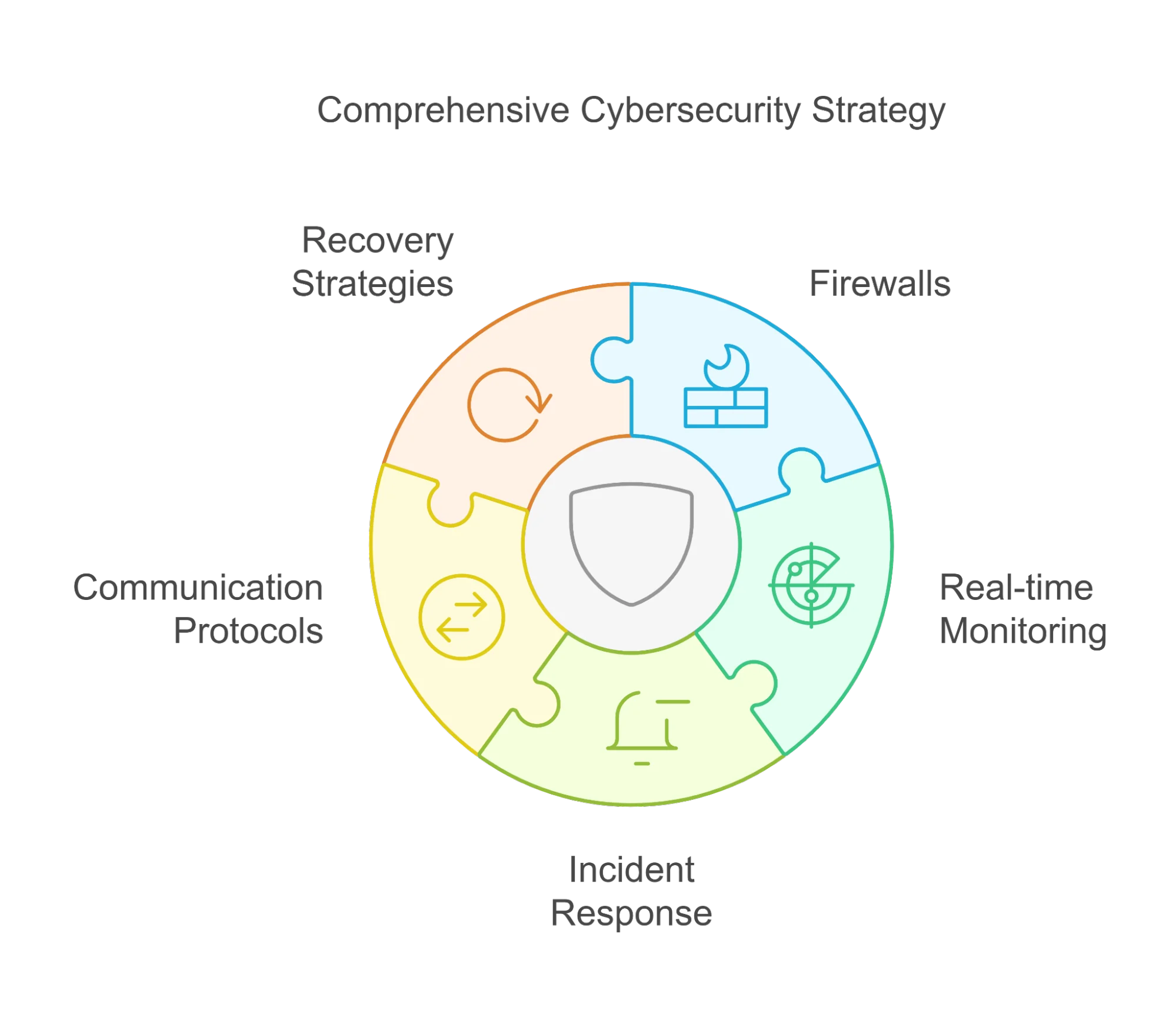
A smooth switch is mostly process: visibility first, then controlled change, then measurable stabilization. If you want a full view of managed services scope and what’s included, see: Managed IT Services.
Transition process snapshot
- Discovery and access inventory: confirm ownership and build a complete map of admin paths.
- Visibility first: monitoring, alert routing, and backup validation before any removals.
- Controlled credential rotation: privileged access changes in an order that does not break systems.
- Stabilize and reduce noise: eliminate repeat issues and tighten security baselines.
- Monthly reporting and roadmap: risks, priorities, and measurable improvements you can defend.
Ready to switch with a controlled plan?
If you want a transition plan that protects uptime, security, and documentation ownership, start with the managed services scope and next steps.
FAQ
How long does it take to switch MSPs?
For most organizations, a controlled transition typically spans 2 to 6 weeks depending on documentation quality, access ownership, number of sites, and tooling complexity. The safest pattern is: visibility first, then controlled changes, then stabilization and optimization.
Can my current MSP block a handover?
If ownership and access were not structured well, an MSP can slow things down. That is why the first checklist items focus on confirming ownership of domains, tenants, and admin roles. A good contract also includes defined exit support and documentation deliverables.
What access should we have on day one with a new MSP?
You should be able to access admin dashboards, documentation, and reporting without gatekeeping. A common best practice is to keep client-owned break-glass accounts and ensure you can audit privileged access.
What is the biggest cause of switching failures?
Rushing changes before visibility is established. When monitoring, alert routing, and backups are not validated first, gaps appear. Plan the sequence, freeze unnecessary changes, and rotate credentials carefully.
Should we go co-managed instead of fully switching?
Co-managed can work if responsibilities are clear (who owns identity, patching, security monitoring, and incident response) and reporting is consistent. If the red flags are mostly transparency and responsiveness, co-managed may help. If the red flags include security negligence or access withholding, switching fully is usually cleaner.