
Funded by the Public Health Agency of Canada, the Autism and/or Intellectual Disabilities Knowledge Exchange Network (AIDE Canada) is a...
Read MoreIndustries
Non-Profit IT Services
Your team has programs to deliver and funding to account for. MSP Corp provides managed IT services for Canadian non-profits and charities, helping you protect donor information, support staff, control technology costs, and keep essential services available.
Trusted by Canadian non-profits and community organizations


Who We Help
IT support for the way your non-profit works
A national charity and a neighbourhood service agency need different support. We work around your funding model, information, and how employees and volunteers deliver programs.
-
Charities and foundations
Keep fundraising, grantmaking, donor records, and financial reporting running reliably. We help your team manage sensitive information, secure approvals, and plan technology spending around campaigns and funding cycles.
-
Community and social service organizations
Give frontline staff dependable access to intake forms, case records, schedules, and referral information. Support shared devices and multiple service locations while keeping access appropriate to each person's role.
-
Membership associations and national networks
Connect staff, boards, committees, and regional chapters through secure collaboration tools. Manage membership information, document sharing, and technology decisions across offices with different resources and priorities.
-
Environmental and advocacy organizations
Support distributed teams, community partnerships, research, and public campaigns with reliable cloud tools. Protect confidential correspondence and project information while making approved resources easier to find and share.

Whether IT sits with a dedicated department or your operations manager, you get practical support, clear responsibilities, and a plan your leadership team can budget for.
Where non-profit IT problems start
A volunteer finishes a project but keeps access to donor files. The person who understood your database leaves. Small gaps become urgent problems when nobody has time to review them.
We identify the gaps affecting your programs and address them in a manageable order.
-
Access that stays open
Former staff, volunteers, and board members retain accounts or file access after their responsibilities change.
-
Funding tied up in unused technology
Duplicate subscriptions, inactive licences, and unplanned renewals absorb money that could support services.
-
Recovery that nobody has checked
Backups exist, but nobody has confirmed which donor records, program files, or systems can actually be restored.
-
Sensitive information entering AI tools
Staff experiment with grant drafts or case summaries before approved tools, permissions, and data handling rules are agreed.
We rank issues by their effect on service delivery and donor trust, separating urgent fixes from work that can wait for your next funding decision.

An IT partner that fits your team
MSP Corp has supported Canadian non-profits and charities for more than 20 years. We provide managed and co-managed IT, cybersecurity, Microsoft cloud services, and project expertise to help your staff spend less time resolving technology problems.
Switching providers starts with a planned handover. We review access, backups, documentation, and vendor responsibilities, then schedule changes around program commitments and fundraising deadlines. Your team keeps decision authority throughout the transition.

Security & Privacy | Protect the information people trust you with
Donor details, client case notes, payroll, and board discussions need appropriate protection. We secure the accounts, devices, and systems holding that information while keeping everyday work straightforward for staff and volunteers.
-
Know where sensitive information lives
Map donor databases, case management tools, shared files, email, and vendor connections, with an owner for each system.
-
Make secure access practical
Set up multifactor authentication, role permissions, device protection, and safer file sharing that staff can use during busy working days.
-
Prepare your response
Agree who investigates, contains an incident, contacts leadership, and coordinates recovery before an urgent situation forces those decisions.
-
Give your board useful reporting
Document risks, completed improvements, outstanding actions, and recovery tests so leadership can see where further investment is needed.

Privacy readiness for your organization
Non-profit status alone does not determine your privacy obligations. As the Office of the Privacy Commissioner explains, PIPEDA generally applies to commercial activities; provincial privacy legislation may also apply to charities and non-profits.
We support the technology work behind your privacy program: access controls, retention settings, secure sharing, recovery testing, and documentation. Your privacy or legal advisers determine which requirements apply, including obligations arising from service agreements and the information you handle. We help translate those requirements into practical controls and evidence your team can maintain.

Operational Resilience | Keep community services running through disruption
A lost connection or inaccessible database can delay appointments, referrals, donation processing, and payroll. We help identify which systems your services depend on, how quickly they need to recover, and what staff should do while normal access is unavailable.
Incident Response Planning
Establish escalation contacts, decision authority, communication steps, and recovery responsibilities so staff know who to call when a security incident affects operations.
Backup & Recovery Testing
Protect important records and test restoration, including the limits of cloud application backups, before an accidental deletion or outage interrupts program delivery.
Third-Party Access Management
Review access for fundraising platforms, contractors, software vendors, and community partners. Assign owners, limit permissions, and remove access when the work ends.
Continuity & Downtime Planning
Prepare fallback procedures for essential services, donation workflows, and communications, with practical recovery priorities that reflect staffing capacity and community needs.
IT Services
Non-profit IT services built around your priorities
Choose support for the work you need to do: safeguard donor information, keep staff productive, simplify administration, or introduce AI with clear boundaries. We can manage your environment or support your existing IT team.
24/7 Threat Detection & Response
Guardian Shield monitors threats around the clock, investigates suspicious activity, and supports active response to contain incidents.
Identity & Access Security
Set appropriate access for employees, volunteers, and board members, with stronger sign-in protection and prompt account removal.
Email & Fraud Protection
Reduce phishing, impersonation, and account takeover risks affecting donation enquiries, invoice approvals, payroll changes, and everyday correspondence.
Penetration Testing
Identify exploitable weaknesses in networks, applications, and access paths, with clear findings your team can prioritize for remediation.
Backup & Recovery
Back up donor records and operational files with monitoring, restoration testing, and recovery priorities agreed with your team.
Endpoint Protection
Manage security updates and device protection for office computers, shared workstations, and laptops used by remote staff.
Security Awareness Training
Help staff recognize fake requests, handle sensitive information carefully, and report suspicious activity through a clear process.
Cybersecurity Services
Coordinate security across people, email, devices, networks, cloud applications, and the information your organization holds.
Non-Profit IT Support
Resolve login, device, email, and application issues so technical problems take less time away from programs.
Managed Infrastructure
Maintain servers, cloud resources, and devices with monitoring, updates, documentation, and practical replacement planning.
Network Services
Support reliable connectivity across offices and service locations, with appropriate separation for staff and guest access.
Microsoft 365 for healthcare
Make Teams, Outlook, SharePoint, and OneDrive easier to use and manage, with permissions suited to staff and volunteer responsibilities.
Co-Managed IT
Give internal IT additional support capacity, specialist expertise, and project help while they retain oversight.
Hosting Services
Choose hosting around application requirements, availability, security, and recovery needs, with clear responsibilities for support and ongoing maintenance.
IT Procurement and Licensing
Plan replacements, review unused subscriptions, and assess available non-profit offers. Microsoft grants and discounts depend on organizational and user eligibility.
Managed IT Services
Coordinate daily support, maintenance, vendors, and technology planning through a defined service scope that fits your organization’s staffing and budget.
Data Governance
Assign ownership and set sharing, retention, and access rules for donor information, client files, board records, and operational documents.
Compliance Readiness
Support privacy and governance reviews with documented controls, access records, remediation plans, and evidence of completed security work.
IT Strategy & Roadmaps
Sequence technology improvements around program priorities, grant timelines, renewal dates, and the capacity of staff to manage change.
Azure Modernization
Plan cloud migrations and improvements with security, operating costs, application dependencies, and long-term support considered from the start.
Modern Workplace
Give staff and board members secure ways to collaborate, find current documents, and work across offices or remotely.
Non-Profit Workflow Automation
Reduce repetitive intake routing, approval reminders, and reporting tasks while keeping staff responsible for decisions and sensitive information.
Non-Profit System Integration
Connect compatible fundraising, finance, membership, and program systems to reduce duplicate data entry and make handoffs easier to manage.
Cloud & Modernization Services
Coordinate applications, data, and collaboration improvements, with manageable stages and clear ownership after launch.
Microsoft 365 Copilot
Check permissions, licensing, and information access before piloting Copilot for meeting summaries or initial grant drafts.
AI Readiness
Identify useful applications, sensitive data risks, staff readiness, and measurable benefits before your organization commits to an AI rollout.
AI-Ready Identity & Access
Review accounts, groups, and sharing permissions before AI surfaces donor or client information through overly broad access.
AI Data Governance
Set rules for approved tools and confidential information, including donor details, client records, retention, and required human review.
Knowledge Enablement
Organize policies, program guidance, and approved resources so employees and authorized AI tools can find current, reliable information.
AI Adoption & Change Management
Help staff learn approved workflows, check AI outputs, and raise concerns through practical training suited to their responsibilities.
AI Consulting
Evaluate administrative and fundraising use cases, including drafting and reporting assistance, while keeping sensitive decisions with qualified staff.
Managed AI Services
Support AI after deployment with ongoing governance, adoption guidance, monitoring, and improvements as tools and your organization’s needs change.
Start with a Non-Profit IT Review
Tell us where technology makes work harder. We will discuss your environment, essential services, and available capacity. Together, we can:
- Identify important systems, sensitive information, and access that needs attention.
- Review recurring support issues and opportunities to reduce avoidable spending.
- Clarify responsibilities across your staff, MSP Corp, and software providers.
- Outline next steps that fit your budget and upcoming program commitments.
Bring your questions, current concerns, or renewal decisions. You do not need a finished technology plan. We will help you understand the options and agree on a sensible scope before work begins.
Case Studies
See what better IT makes possible
Our work with Canadian non-profits includes daily IT support, cloud migrations, and digital community services. These projects address limited internal capacity and improve technology access, with delivery shaped around the people relying on those systems.
Pacific Blue Cross
Pacific Blue Cross partnered with MSP Corp to migrate their on-premises email server to Exchange Online, boosting employee collaboration and...
Read MoreGet in touch
Talk through your non-profit IT priorities
Perhaps support requests keep landing with your operations manager. Your board wants clearer technology costs, or IT needs security expertise. We start with the issue that prompted your enquiry.
Tell us about your organization, essential systems, and approaching deadlines. We will clarify the problem, discuss suitable support, and identify the next step. Whether you are changing providers, planning a project, or hiring IT support for the first time, the conversation starts with your needs.
Canadian-owned & operated
Microsoft Partner
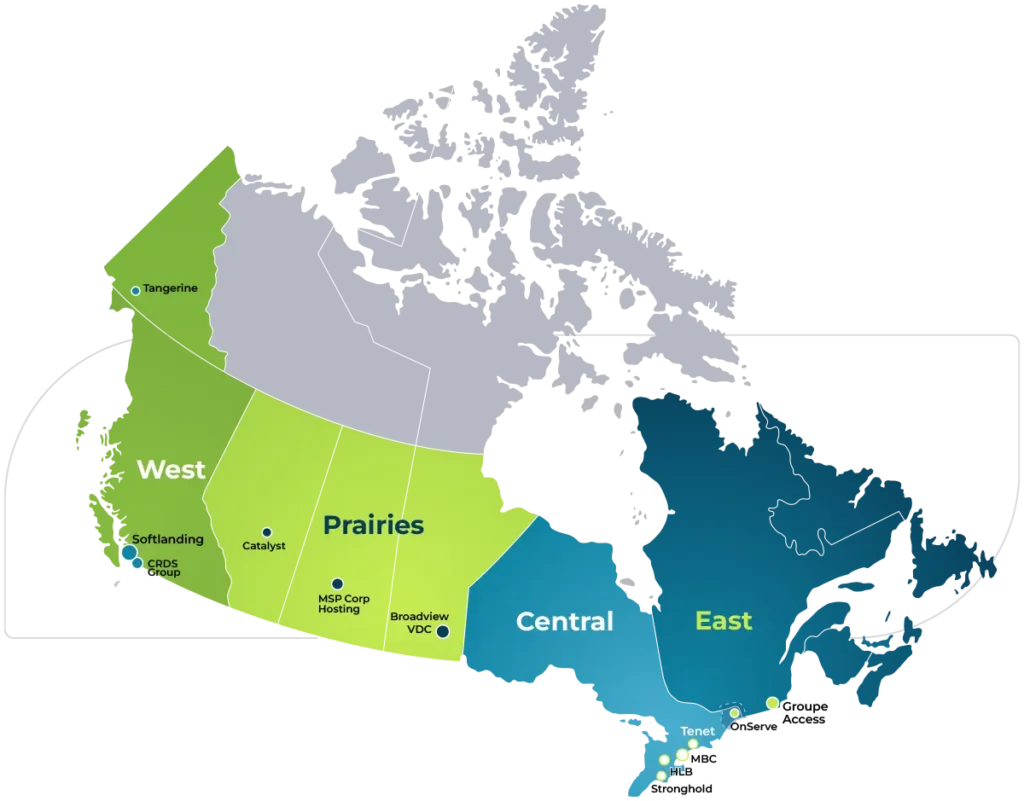
MSP Corp Head Office
8270 Mayrand, Montreal, QC H4P 2C5
Resources
Latest Whitepapers

Canada’s Cyber Security Landscape 2025 Report
Free Report: Canadian SMB cybersecurity in 2025 with PIPEDA, Bill C-8 and expert strategies to protect data, reduce risk and...
Read MoreManaged IT Services vs In-House Teams: The True Cost Breakdown 2025 Guide
What happens when your IT costs silently drain your budget? This guide dives into the actual financial implications of both...
Read More
Microsoft 365 Copilot: The Essential Guide
Microsoft 365 Copilot represents a transformative leap forward in productivity and collaboration by embedding AI into the tools organizations already use...
Read More