

A practical MDR implementation checklist for Canadian SMBs and mid-market teams that need 24/7 threat detection, cleaner alert triage, faster incident response, and a safer transition from reactive security to operational readiness.

Get MDR operational without adding more noise.
If your team is already stretched thin, MDR should not create another dashboard to babysit. MSP Corp helps you assess your environment, prioritize the right telemetry, and build a response model your team can actually use.
Managed detection and response is not “turn on a tool and hope for the best.” A good MDR rollout connects people, telemetry, workflows, permissions, playbooks, escalation paths, and recovery evidence into one operating model. That matters because incident response plans should clearly define roles, responsibilities, crisis contacts, and response activities before an incident happens.1, 2
This checklist is built for organizations that use Microsoft 365, Entra ID, endpoints, cloud services, SaaS applications, remote workers, and a mix of outsourced or internal IT support. It is especially useful if you are switching security providers, adding MDR for the first time, or trying to make existing detection tools more actionable.
What “operational” means by day 30
By the end of 30 days, MDR should be able to ingest agreed telemetry, classify and escalate alerts, contact the right people, execute approved containment actions, document incident evidence, and run at least one validation exercise. It does not mean every edge case is perfect. It means the response machine is working, measured, and ready to improve.
Before the checklist: what MDR must be able to do
MDR should improve detection and response, not just forward more alerts. NIST CSF 2.0 organizes cybersecurity outcomes around Govern, Identify, Protect, Detect, Respond, and Recover, which is a useful way to think about MDR readiness because detection without response and recovery is only half a program.3
Detect the right activity
Your MDR provider needs endpoint, identity, cloud, email, firewall, and critical server telemetry where available. The goal is not “collect everything.” The goal is enough context to identify suspicious activity, confirm scope, and reduce false positives.
Prioritize exploited risk
Vulnerability findings should be prioritized using business impact and threat context. CISA maintains the Known Exploited Vulnerabilities catalog as an authoritative source for vulnerabilities that have been exploited in the wild.4
Map activity to attacker behaviour
MITRE ATT&CK is a globally accessible knowledge base of adversary tactics and techniques based on real-world observations, making it useful for detection logic, threat hunting, and post-incident analysis.5
Respond with permission
Containment actions need approval rules before the incident. Decide in advance when the MDR team may isolate an endpoint, disable a user, revoke sessions, block an IP, quarantine email, or escalate to leadership.
If you are still comparing the service model, start by clarifying what MDR, EDR, and XDR mean in practice. If you already know MDR is the right next step, use the following 30 day plan.
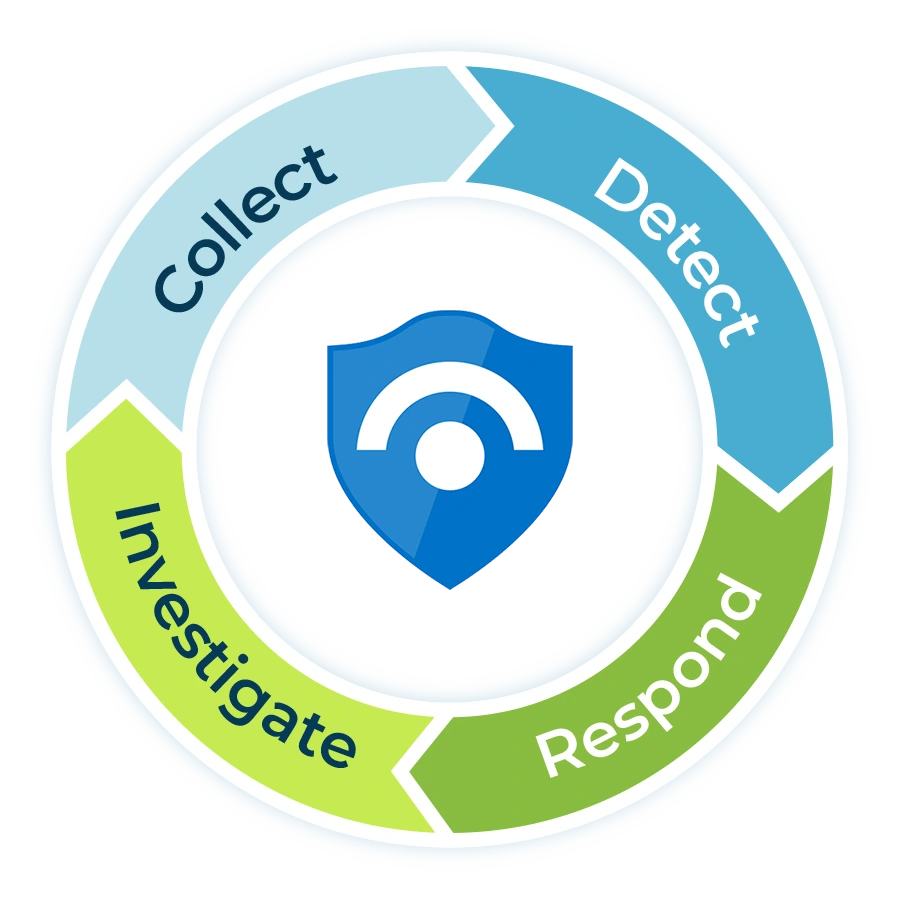
The 30 day MDR implementation checklist
The fastest MDR implementations are not rushed. They are sequenced. The order below keeps the rollout practical: confirm authority first, connect data second, test response third, then tune and measure.
Before day 1: confirm the business goal
Set the scope before tools, tickets, and alerts start moving.
- Name the executive owner. MDR needs a business sponsor who can approve risk decisions, outage tradeoffs, and communication steps during a real incident.
- Define the top three outcomes. Examples: reduce phishing dwell time, detect identity compromise faster, improve ransomware containment, support cyber insurance evidence, or add 24/7 coverage.
- List protected business processes. Include finance, payroll, email, identity, customer systems, line-of-business apps, file shares, backups, and any regulated data stores.
- Decide the implementation scope. Start with the systems that matter most. For many SMBs, this includes Microsoft 365, Entra ID, endpoints, servers, email security, firewall logs, and backup alerting.
- Agree on success metrics. Track alert volume, true positive rate, mean time to acknowledge, mean time to contain, escalation quality, and the number of repeat issues eliminated.
Decision to make now
Choose the minimum viable MDR scope for day 30. A focused rollout that protects identity, endpoints, email, and critical servers is usually more valuable than a broad rollout with poor ownership.
Days 1 to 7: build the foundation
Get access, contacts, authority, and telemetry planning in place.
- Complete the kickoff workshop. Review business priorities, current tools, known gaps, existing incidents, internal IT capacity, and any provider transition risks.
- Create the MDR contact tree. Include primary and backup contacts for IT, leadership, privacy, legal, communications, finance, insurance, and any third party vendors.
- Document escalation windows. Define who can be contacted after hours, what channels are allowed, and when a severe alert becomes a phone call instead of an email.
- Confirm emergency authority. Decide which actions can be taken immediately and which require approval. Examples include endpoint isolation, account disablement, session revocation, mailbox rule removal, firewall blocking, and privileged account lockout.
- Inventory identities and privileged access. Review administrators, break-glass accounts, service accounts, stale accounts, guest users, shared mailboxes, and high-risk roles.
- Map current security controls. Include MFA, conditional access, endpoint protection, patching, email filtering, DNS filtering, backup coverage, logging, vulnerability scanning, and awareness training.
- Choose log sources for onboarding. Logging and monitoring help organizations identify indicators of compromise, take corrective actions in a timely manner, and minimize incident impact.6
At this stage, many organizations find gaps in identity controls. If MFA is enabled but attackers can still bypass weak rules, strengthen conditional access before relying on alerts alone.
Days 8 to 14: connect telemetry and tune alert intake
Make sure the MDR team can see enough to make good decisions.
- Onboard endpoint telemetry. Validate coverage for workstations, laptops, and servers. Flag unmanaged or stale devices immediately.
- Onboard identity telemetry. Include sign-in risk, impossible travel, MFA failures, privileged changes, conditional access changes, and suspicious session activity.
- Onboard email and collaboration signals. Monitor suspicious inbox rules, malicious attachments, impersonation, mass forwarding, and unusual SharePoint or OneDrive access.
- Onboard firewall, VPN, and remote access logs. Prioritize events that show inbound exposure, administrative access, policy changes, remote logins, and unusual traffic.
- Connect cloud and SaaS alerts where practical. Start with systems that contain sensitive data or control access to other systems.
- Connect vulnerability and patch signals. Use threat context to prioritize vulnerabilities that are known to be exploited, internet-facing, or tied to crown jewel systems.4
- Create severity rules. Define what counts as informational, low, medium, high, and critical. Make the definitions practical enough for a non-security executive to understand.
- Suppress obvious noise carefully. Tuning should reduce false positives without hiding risky behaviour. Record every suppression rule and review it during the first month.
If Microsoft tools are part of the environment, confirm how Microsoft Defender XDR and Sentinel fit into the operating model. Microsoft Defender XDR includes automated investigation and response capabilities intended to help security operations teams address high alert volume more efficiently.10 Microsoft Sentinel also provides SOAR playbooks and connectors that can integrate response workflows across the environment.11
Days 15 to 21: operationalize triage and response
Turn alerts into repeatable decisions, tickets, and containment actions.
- Build the alert triage workflow. Decide how alerts are validated, enriched, categorized, escalated, and closed. A strong incident triage workflow keeps analysts from treating every alert the same way.
- Create initial response playbooks. Start with phishing, suspected account takeover, malware, ransomware indicators, suspicious admin activity, exposed remote access, and critical vulnerability exploitation.
- Align evidence capture. Define what must be preserved: timestamps, usernames, device names, IPs, file hashes, email headers, mailbox rules, process trees, logs, screenshots, and containment steps.
- Define ticket ownership. Decide when an MDR alert creates a ticket, who receives it, what priority it gets, and how the ticket is closed after remediation.
- Confirm remediation handoffs. Clarify whether MDR, internal IT, the MSP, or a software vendor handles device cleanup, account resets, firewall updates, email purge, patching, backup restore, or user communications.
- Test high-risk notification paths. Confirm that the MDR team can reach the right people by phone or another approved urgent channel.
- Review breach reporting triggers. Under PIPEDA, organizations must report a breach of security safeguards involving personal information to the Commissioner if it is reasonable to believe the breach creates a real risk of significant harm to an individual.9
For a deeper companion asset, use an incident response plan to define the broader response structure around your MDR process.
Days 22 to 30: validate, tune, and go operational
Prove the workflow works before calling the rollout complete.
- Run a tabletop exercise. Test a realistic scenario such as phishing leading to account takeover, ransomware indicators on a workstation, or suspicious admin activity after hours.
- Simulate an escalation. Confirm that a critical alert reaches the right contacts, with enough context to make a business decision quickly.
- Validate containment actions. Test at least one approved response action in a controlled way, such as disabling a test account, isolating a test endpoint, or blocking a test indicator.
- Review gaps found during testing. Update contact details, playbooks, escalation paths, ticket fields, severity definitions, and data sources.
- Confirm reporting cadence. Decide what the monthly MDR report will show: alert trends, incident themes, response times, recurring weaknesses, vulnerable assets, and recommended improvements.
- Build the first improvement backlog. Common items include privileged access cleanup, phishing training, firewall rule cleanup, patch backlog reduction, backup validation, BYOD controls, and application allowlisting.
- Hold the operational handoff. Confirm the day 30 go-live decision, known limitations, open risks, and the next 60 days of improvement work.
Ransomware planning deserves special attention. The Canadian Centre for Cyber Security notes that ransomware remains a significant threat to Canadian organizations and that ransomware can directly disrupt critical services.8 MDR should therefore be tested against ransomware-style behaviours, not only commodity malware alerts.
MDR implementation checklist by control area
Use this table to assign owners before the rollout starts. It also helps leadership understand why MDR depends on more than a security tool.
| Control area | What to confirm | Why it matters | Useful internal next step |
|---|---|---|---|
| Identity | Admin roles, MFA status, conditional access, guest access, risky sign-ins, break-glass process. | Many severe incidents start with account compromise, token abuse, weak admin controls, or unmanaged external access. | Review Entra and Zero Trust controls. |
| Endpoints | Device coverage, endpoint security agent health, isolation capability, local admin rights, unsupported systems. | MDR cannot protect devices it cannot see, and response slows down when endpoint ownership is unclear. | Assess application allowlisting fit. |
| Email and collaboration | Phishing protections, suspicious rules, external forwarding, quarantine process, mailbox audit logging. | Email remains a common entry point, and compromised mailboxes can become launchpads for fraud and lateral movement. | Plan phishing simulations carefully. |
| Network | Firewall logs, VPN logs, remote access rules, segmentation, privileged access paths, exposed services. | Network context helps confirm whether suspicious activity is isolated or part of a wider intrusion. | Review firewall rules. |
| Vulnerability management | Scanner coverage, patch ownership, risk exceptions, internet-facing systems, CISA KEV alignment. | Known exploited vulnerabilities should not be treated like ordinary backlog items.4 | Compare scanning and pen testing. |
| Backups and recovery | Backup scope, restore testing, backup alerts, immutable copies, Microsoft 365 coverage, recovery owners. | MDR can help detect and contain, but recovery depends on reliable backups and tested recovery procedures. | Review M365 backup responsibilities. |
| Incident response | Roles, severity levels, contact tree, evidence handling, legal/privacy escalation, communications. | Response speed depends on decisions made before the crisis, not during it.1, 2 | Connect response to continuity planning. |
Key takeaway: MDR becomes useful when it is connected to the systems, people, and response authority needed to act.
What to include in your MDR kickoff packet
Your MDR provider should not have to discover your organization from scratch during an active incident. Prepare a kickoff packet with enough detail to shorten triage and reduce confusion.
Business context
- Company locations and operating hours
- Critical systems and data types
- Regulatory or insurance requirements
- Known outage windows and blackout periods
- Current provider and vendor contacts
Technical context
- Network diagrams and major SaaS platforms
- Identity architecture and admin roles
- Endpoint and server inventory
- Firewall, VPN, and remote access details
- Backup tools and recovery objectives
Access context
- Privileged account list
- Service accounts and ownership
- Conditional access and MFA policies
- Emergency access procedure
- Approval rules for containment actions
Response context
- Incident response plan
- Contact tree and escalation matrix
- Cyber insurance contact details
- Legal and privacy escalation rules
- Communications approval process
The MDR RACI: who owns what?
A common MDR failure is assuming “the provider handles it” without defining what “it” means. Use a simple RACI so internal teams, outsourced IT, leadership, and MDR analysts all know their role.
| Activity | MDR provider | Internal IT or MSP | Leadership | Privacy, legal, or compliance |
|---|---|---|---|---|
| 24/7 alert monitoring | Responsible | Informed | Informed for critical incidents | Informed when regulated data may be involved |
| Alert validation and enrichment | Responsible | Consulted for system context | Informed when business impact is likely | Consulted if sensitive data may be affected |
| Endpoint isolation | Responsible if pre-authorized | Accountable for device restoration | Informed for business disruption | Informed if evidence preservation is required |
| User disablement or session revocation | Responsible if pre-authorized | Accountable for identity remediation | Informed for executive or high-impact users | Consulted when personal information may be affected |
| Patch or configuration remediation | Consulted | Responsible | Accountable for risk exceptions | Consulted for compliance exceptions |
| Breach notification decision | Provides evidence | Provides technical context | Accountable | Responsible |
| Post-incident review | Responsible for detection and response timeline | Responsible for remediation actions | Accountable for risk decisions | Consulted for reporting and control improvements |
For organizations switching providers, this clarity is especially important. A poor transition can create access gaps, missed alerts, duplicate tools, or unclear ticket ownership. If the current provider is slow, noisy, or hard to leave, use a structured transition checklist before cutting over.
MDR tool and telemetry requirements
No MDR provider needs unlimited access to everything on day 1. They do need the right telemetry and the right permissions to investigate quickly. CIS Controls v8 emphasizes modern environments, including hybrid and cloud systems, and provides a practical control set for improving cyber hygiene.14 The Canadian Centre for Cyber Security also frames baseline controls for small and medium organizations around high-value actions that deliver a large share of the security benefit.7
Minimum telemetry to prioritize
- Identity: sign-ins, risky users, privileged role changes, MFA activity, conditional access changes, password resets, token activity, and guest access changes.
- Endpoints: malware detections, suspicious processes, PowerShell activity, persistence indicators, isolation status, device health, and local admin usage.
- Email: suspicious attachments, URL clicks, impersonation attempts, quarantine events, forwarding rules, inbox rules, and mass deletion.
- Network: firewall denies, VPN logins, remote admin activity, unusual outbound traffic, DNS filtering events, and changes to exposed services.
- Servers and cloud workloads: admin logins, service changes, critical app logs, privileged operations, unusual file changes, and backup failure alerts.
- Vulnerability data: internet-facing assets, known exploited vulnerabilities, unsupported systems, patch exceptions, and recurring high-risk findings.
Access permissions to define carefully
- Read-only investigation access for logs, alerts, device details, identity events, and security dashboards.
- Limited response access for approved containment actions, ideally using least privilege and just-in-time access.
- Break-glass procedure for severe incidents when normal administrators are unavailable or compromised.
- Audit logging for all MDR actions taken in the environment.
- Access review cadence so MDR permissions stay current when tools, people, or providers change.
Avoid the “god mode” shortcut
MDR needs enough authority to respond, but broad standing admin access creates its own risk. Use least privilege, named accounts where possible, MFA, conditional access, logging, and periodic access reviews.
Priority playbooks for the first 30 days
Do not try to write every playbook before go-live. Start with the scenarios that create the most business risk and the most likely after-hours urgency.
| Playbook | Trigger examples | First response actions | Owner questions |
|---|---|---|---|
| Suspected account takeover | Impossible travel, unusual MFA prompts, risky sign-in, mass file access, mailbox rule creation. | Revoke sessions, reset password, disable account if approved, review mailbox rules, check related devices. | Who can approve disabling an executive account after hours? |
| Phishing with user interaction | User clicked link, credential submission suspected, suspicious attachment opened, similar messages found. | Quarantine messages, block sender or URL, reset credentials, review sign-ins, notify affected users. | Who sends user communications and what language is pre-approved? |
| Ransomware indicators | Mass file changes, encryption behaviour, suspicious process chain, backup deletion attempt, lateral movement. | Isolate endpoint, disable compromised accounts, preserve evidence, verify backups, escalate by phone. | Who can authorize containment that may interrupt operations? |
| Critical exploited vulnerability | CISA KEV match, internet-facing exploit attempt, vulnerable VPN or firewall, emergency vendor advisory. | Confirm exposure, apply patch or mitigation, block exploitation path, monitor indicators, document exception. | Who accepts risk if patching must be delayed? |
| Suspicious admin activity | New privileged role, unusual admin login, policy change, logging disabled, MFA setting changed. | Validate change, revoke suspicious sessions, remove unauthorized role, review audit logs. | Who validates whether the change was expected? |
| Server or cloud workload compromise | Suspicious command execution, unusual outbound traffic, new service, privilege escalation, data staging. | Collect evidence, isolate if approved, identify exposed data, review access paths, plan restoration. | Who owns uptime versus containment decisions for the workload? |
If you need a simpler operational starting point, pair this MDR workflow with a clear incident playbook for service failures and a documented segmentation plan for networks that have grown messy over time.
MDR testing: how to prove the rollout works
Testing should be controlled, documented, and realistic. NIST incident response guidance emphasizes verifying incidents, collecting and analyzing data and evidence, prioritizing response activities, limiting damage, finding root causes, and restoring operations.2 Your MDR test should show that those steps can happen in your environment.
Run these four tests before go-live
- Contact test: Trigger a mock high-severity alert and confirm the MDR team reaches the right people through the approved urgent path.
- Evidence test: Confirm the alert includes enough evidence for IT and leadership to understand what happened, what is affected, and what needs to happen next.
- Containment test: Use a safe test account or test endpoint to validate the containment workflow and approval path.
- Reporting test: Produce a sample incident summary with timeline, severity, affected assets, action taken, root cause, business impact, and follow-up tasks.
Helpful validation prompt
Ask your MDR provider: “Show us exactly what our team would receive at 2:00 a.m. if a real account takeover or ransomware indicator appeared. Who calls us, what do they say, what evidence do we get, and what decision do we need to make?”
Common MDR implementation mistakes
Most MDR problems are not caused by the idea of MDR. They are caused by weak onboarding, unclear authority, limited telemetry, or no remediation ownership.
Keeping every default alert
Default alerting can flood a small team. Tune carefully, but keep a record of suppressions so you know what you are no longer seeing.
No after-hours decision maker
MDR is less useful if the provider finds a threat at night but no one can approve containment until morning.
Missing cloud and SaaS signals
Modern attacks often touch identity, email, cloud apps, and files. Endpoint alerts alone may miss the business context.
No remediation owner
An alert is not fixed until the root cause is addressed. Decide who patches, cleans, reconfigures, restores, trains, or follows up.
How to measure MDR success after day 30
Good MDR reporting should help leadership understand risk, not just activity. Verizon’s 2025 DBIR analyzed more than 22,000 incidents and more than 12,000 confirmed data breaches, highlighting why organizations need evidence-based security priorities rather than vague alert counts.12 IBM’s 2025 Cost of a Data Breach Report also connects faster identification and containment with lower average breach costs, reinforcing the value of response speed and operational maturity.13
Track these metrics monthly
- Coverage: percentage of endpoints, servers, identities, and critical systems feeding telemetry.
- Signal quality: true positives, false positives, repeated alerts, and tuned rules.
- Response speed: mean time to acknowledge, investigate, escalate, contain, and close.
- Business impact: incidents avoided, downtime reduced, compromised accounts contained, vulnerable systems remediated.
- Control improvement: recurring root causes removed, such as weak access rules, exposed services, patch gaps, or missing backups.
- Executive visibility: clear trend reporting, risk decisions, and approved next actions.
After the first month, the program should mature from “MDR is watching” to “MDR is helping us reduce risk.” That means the monthly report should create action: fewer stale accounts, better email controls, cleaner firewall rules, stronger backup evidence, tighter endpoint coverage, and better user training.
Need MDR, but not another tool to manage?
MSP Corp helps Canadian organizations move from reactive security to practical 24/7 detection and response. We can assess your current controls, identify onboarding gaps, and design a safe implementation path for your users, systems, and leadership team.
Questions to ask before choosing an MDR provider
The sales pitch matters less than the operating model. Ask questions that reveal how the provider will work during a real incident.
- What telemetry do you need in the first 30 days, and what can wait?
- How do you reduce false positives without hiding suspicious activity?
- What actions can you take immediately, and which require approval?
- What does a critical alert look like when sent to our team?
- Who calls us after hours, and what happens if the first contact does not answer?
- How do you handle Microsoft 365, Entra ID, endpoint, firewall, and cloud alerts together?
- How do you document evidence for leadership, insurance, legal, or privacy review?
- How do you support remediation, not just alert escalation?
- Which MITRE ATT&CK tactics and techniques do your detections cover?
- How do you report on program improvement after the first 30 days?
When MDR should be part of a bigger security improvement plan
MDR is powerful, but it is not a replacement for foundational controls. If your environment has unmanaged devices, stale accounts, weak access rules, untested backups, or exposed remote access, MDR should run alongside a remediation roadmap.
Common companion projects include network penetration testing, Microsoft Sentinel services, Microsoft 365 Defender optimization, data governance and compliance, and secure remote access modernization such as ZTNA versus VPN migration planning.
MDR implementation FAQ
Can MDR be implemented in 30 days?
Yes, a focused MDR rollout can become operational in 30 days if the scope is clear, the right telemetry is available, decision makers are identified, and containment rules are approved early. Full maturity takes longer, but day 30 should deliver working monitoring, triage, escalation, response playbooks, and reporting.
What should we connect first?
Start with identity, endpoints, email, critical servers, remote access, and vulnerability context. These sources usually provide the highest value for detecting account compromise, malware, phishing, ransomware indicators, and exploitation attempts.
Does MDR replace our internal IT team?
No. MDR supports detection, investigation, escalation, and response. Internal IT or your MSP still needs to own many remediation tasks, such as patching, configuration changes, device restoration, user communication, backup recovery, and business application decisions.
Do we need Microsoft Sentinel or Defender for MDR?
Not always, but Microsoft security tools can be a strong foundation for Microsoft 365-centric organizations. The important question is whether the provider can integrate the tools you already use and turn signals into actionable response.
What is the biggest MDR implementation risk?
The biggest risk is unclear ownership. If no one knows who approves containment, who remediates devices, who handles privacy review, or who communicates to users, MDR alerts can still stall during a real incident.
How is MDR different from 24/7 IT support?
24/7 IT support focuses on user and system support, while MDR focuses on threat detection, investigation, escalation, and response. They should work together, but they are not the same service. If you are comparing support expectations, review what is typically included in 24/7 IT support.
Ready to make MDR operational?
An MDR implementation checklist is only useful if it turns into action. Start with the business decision: what risks need to be reduced, who can approve response, and what systems matter most. Then connect the right telemetry, tune alert intake, validate escalation, and keep improving after day 30.
MSP Corp helps organizations make that transition safely. Whether you are switching providers, adding MDR for the first time, or trying to get more from Microsoft security tools, our team can help you build a practical path from alert fatigue to operational response.
Start with a clear cybersecurity assessment.
Find your highest-risk gaps, validate your MDR readiness, and get a practical roadmap for 24/7 detection and response.
References
- CISA. “Incident Response Plan Basics.” https://www.cisa.gov/sites/default/files/publications/Incident-Response-Plan-Basics_508c.pdf
- NIST. “SP 800-61 Rev. 3, Incident Response Recommendations and Considerations for Cybersecurity Risk Management.” https://csrc.nist.gov/pubs/sp/800/61/r3/final
- NIST. “Cybersecurity Framework 2.0 Resource and Overview Guide.” https://nvlpubs.nist.gov/nistpubs/SpecialPublications/NIST.SP.1299.pdf
- CISA. “Known Exploited Vulnerabilities Catalog.” https://www.cisa.gov/known-exploited-vulnerabilities-catalog
- MITRE. “ATT&CK.” https://attack.mitre.org/
- Canadian Centre for Cyber Security. “Network Security Logging and Monitoring.” https://www.cyber.gc.ca/en/guidance/network-security-logging-monitoring-itsap80085
- Canadian Centre for Cyber Security. “Baseline Cyber Security Controls for Small and Medium Organizations.” https://www.cyber.gc.ca/en/guidance/baseline-cyber-security-controls-small-and-medium-organizations
- Canadian Centre for Cyber Security. “Ransomware Playbook.” https://www.cyber.gc.ca/sites/default/files/itsm00099-ransomware-playbook-e.pdf
- Justice Laws Website, Government of Canada. “Personal Information Protection and Electronic Documents Act, Breach Reporting.” https://laws-lois.justice.gc.ca/eng/acts/P-8.6/page-3.html
- Microsoft Learn. “Automated Investigation and Response in Microsoft Defender XDR.” https://learn.microsoft.com/en-us/defender-xdr/m365d-autoir
- Microsoft Learn. “Microsoft Sentinel SOAR Content Catalog.” https://learn.microsoft.com/en-us/azure/sentinel/sentinel-soar-content
- Verizon. “2025 Data Breach Investigations Report.” https://www.verizon.com/business/resources/reports/dbir/
- IBM. “Cost of a Data Breach Report 2025.” https://www.ibm.com/reports/data-breach
- Center for Internet Security. “CIS Critical Security Controls v8.” https://www.cisecurity.org/controls/v8